
Comparisons
Best AI Food Photography Tools in 2026 — an Honest Comparison
Disclosure up front: PlateSnap — the site you're reading — makes one of the tools in this comparison. The prices and features below are a dated July 2026 snapshot rather than a live catalog; confirm them with each vendor before making a decision.
Dedicated food-image tools now offer different combinations of reference editing, styles, export sizes, and mobile workflows. Some delivery platforms have also offered built-in AI-assisted image tools. The practical question is which current workflow fits your job — or whether a paid tool adds enough value at all.
The best AI food photography app is not simply the one with the most styles. Restaurants and food brands should compare image quality against the real dish, the work needed to turn one source photo into usable menu photos, and whether the result is a practical starting point for social media and other content creation. A tool that wins for one delivery listing may not be the best fit for a team producing content across several channels.
If the job spans several channels, use the month-long food marketing content playbook to turn one real dish photo into a manual publishing plan without assuming the tool creates or posts a campaign automatically.
How we compared these tools
Roundups in this category tend to hide the number that matters, so here's our method:
- Price per image, at the entry tier. Headline monthly prices are misleading — $15/month buys 25 credits at FoodShot but 50 at FoodPhoto.ai. We divide it out for every tool.
- Food-specificity. Everything here is a dedicated food tool or a delivery platform's own food-photo feature. We left out general-purpose image generators to keep the workflow comparison focused; no category guarantees reference fidelity or destination-ready output.
- Outputs. Resolutions, export sizes for delivery platforms, mobile apps, and licensing.
- Honesty about limits. Every section below names what the tool is not good at — ours included.
If you're still weighing AI against hiring a photographer at all, our guide to professional food photography covers that cost math in depth. This page assumes you've picked AI and compares the tools. All prices were checked in July 2026 and will drift — confirm on each tool's site before you buy.
The comparison at a glance
| Tool | Best for | Entry price | Per image | Free / low-commitment option |
|---|---|---|---|---|
| FoodShot AI | Mobile apps + biggest style library | $15/mo for 25 credits ($9/mo annual) | $0.60 ($0.36 annual) | — |
| FoodPhoto.ai | Cheapest per image | $15/mo for 50 credits | ~$0.30 | $10 one-time 10-photo test pack |
| PlateSnap (us) | Founder-guided single-image workflow | $40/mo guided pilot | 100 credits; 1–3 credits per output | Manual pilot access |
| PlatePhoto | Importing your Google-Maps photos | $19/mo for 30 images | ~$0.63 | — |
| MenuPhotoAI | Enhancement-only of real photos | $39/mo for 25 images | $1.56 | $9.99 first month |
| GourmetPix | Occasional use, no subscription | From $9 (~10 generations) | ~$0.90 | Pay-as-you-go; credits never expire |
| DoorDash / Uber Eats built-in | A menu tile on that one platform | Free | Free | Included with merchant account |
1. FoodShot AI — the category leader, best mobile experience
FoodShot (foodshot.ai) is the category leader: $15/month for 25 credits, dropping to $9/month on annual billing (a 40% discount), with more than 200 styles — the biggest library of any tool here — and native iOS and Android apps rated 4.8 on the App Store.
Genuinely best at: the mobile workflow. It's the only dedicated tool in this comparison with real phone apps, so you can shoot a dish in the kitchen and generate on the same device before service ends. And if you want maximum stylistic variety — seasonal looks, cuisines, moods — no one else comes close to 200+ styles.
Limits: there's no pay-as-you-go, so it's a subscription or nothing — bad fit for occasional use, where GourmetPix's economics win. And at monthly billing, $0.60 per image is double FoodPhoto.ai's rate.
2. FoodPhoto.ai — cheapest per image
FoodPhoto.ai charges $15/month for 50 credits — about $0.30 per image, the cheapest per-image rate among the dedicated food tools. It leans on a “built by restaurateurs” authenticity angle, and its exports come pre-sized for DoorDash, Uber Eats, Grubhub, Toast, and Google.
Genuinely best at: raw economics and low-risk trial. The $10 one-time pack of 10 photos is the cheapest way in the category to test AI on your own menu without subscribing to anything, and the platform-sized exports save real resizing busywork if you list on several delivery apps.
Limits: web-only — no mobile apps. If your workflow is phone-in-the-kitchen, FoodShot fits better.
3. PlateSnap — a guided single-image workflow (that's us)
PlateSnap (platesnap.app) is our tool — read this section with that in mind. The current Guided Business pilot is $40/month for 100 credits, with no free trial. A 1K output costs one credit, 2K costs two, and 4K costs three. The product currently generates one JPEG at a time from one reference photo, with 30 selectable styles, three composition controls, four aspect ratios, and an optional prompt. Pilot onboarding is handled manually.
What we are testing: whether food businesses value a founder-guided workflow enough to use it for a second real campaign and pay again. Full pilot details are on the pricing page.
Limits: there is no mobile app, batch mode, saved brand preset, campaign pack, publishing flow, platform-specific export preset, or guaranteed fidelity. Each output must be reviewed against the real dish.
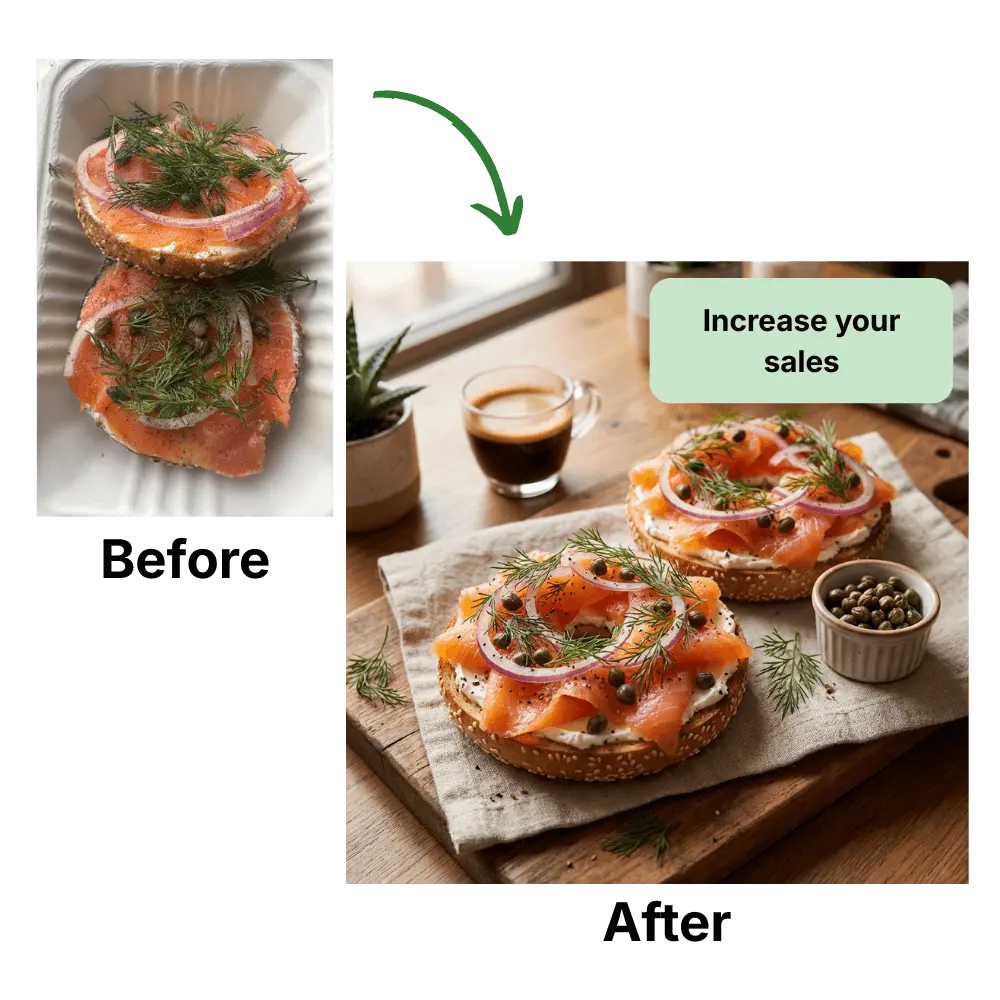
Browse the PlateSnap style gallery to inspect the current visual directions before deciding whether the guided pilot fits your dish and campaign.
4. PlatePhoto — pulls photos straight from your Google listing
PlatePhoto (platephoto.com) runs $19/month for 30 images — about $0.63 per image — with preset looks that include a dedicated delivery-app export page.
Genuinely best at: the Google-Maps import. It can pull the photos already sitting on your Google Business listing and use them as source material, which is genuinely useful for the many restaurants whose only existing photos live on Google — no re-shooting just to get a reference image.
Limits: its value depends on whether the Google-Maps import and delivery-oriented presets save enough setup work for your workflow. Compare current pricing and usable-output cost before choosing it.
5. MenuPhotoAI — enhancement of your real photos
MenuPhotoAI (menuphotoai.com) costs $39/month for 25 images, with a $9.99 first month. Its philosophy is different from the generators above: it enhances the photo you actually took — lighting, cleanup, delivery-platform framing — rather than restaging the dish into a new scene.
Genuinely best at: the “my photo, only better” use case. If your rule is that the published image must be your own camera shot with improvements — a defensible stance for accuracy-sensitive menus — the enhancement-only approach is exactly that, and the $9.99 first month lets you run a full 25-image batch cheaply before committing.
Limits: at $1.56 per image after the first month it's the priciest tool in this comparison — roughly five times FoodPhoto.ai's rate — so you're paying specifically for the enhancement-only philosophy, not for volume.
6. GourmetPix — pay-as-you-go, no subscription
GourmetPix (gourmetpix.com) is the only dedicated tool here with no subscription at all: pay-as-you-go packs start at $9 for roughly 10 generations, and credits never expire.
Genuinely best at: occasional use. If you update your menu twice a year, you can buy a pack, generate a batch, and walk away — the leftover credits are still valid next season, and there's no subscription to forget to cancel. For that pattern it beats every monthly plan on this page, ours included.
Limits: around $0.90 per image, it's pricier per photo than any of the subscription tools — so the moment you're generating monthly, a subscription wins.
7. DoorDash and Uber Eats built-in AI photo tools — free, single-platform
The platforms now compete with the paid tools. DoorDash shipped free AI photo tools — AI Retouch and Replate — in its Merchant Portal in May 2026, and Uber Eats offers Enhance Food Photos. Both are included with a merchant account.
Genuinely best at: trying a platform's own menu-image workflow. If all you need is one image on one platform, its built-in tool may be enough and costs nothing beyond the merchant account. You still need to review the result and the platform's current photo requirements.
Limits: the results live inside one platform. If you're on DoorDash and Uber Eats and Instagram and a printed menu, the images won't match across them, and none of these tools produce marketing creative — promo graphics, social posts, menu boards. Cross-platform consistency and marketing output are exactly where the dedicated tools earn their keep.
Want to evaluate PlateSnap on your own dish? Open the studio to inspect the current controls, then ask about the guided pilot if the workflow matches a real upcoming campaign.
Open the PlateSnap studio →Which AI food photography tool should you pick?
Match the tool to the job, not to a ranking:
- Cheapest per image → FoodPhoto.ai (~$0.30 per image; 50 credits for $15/month).
- Mobile app and the most styles → FoodShot AI (200+ styles, iOS and Android apps).
- Occasional use, no subscription → GourmetPix (from $9, credits never expire).
- Founder-guided evaluation of a single-image workflow → PlateSnap — that's us — while the Guided Business pilot is being validated.
- Strictly enhancing your own photos → MenuPhotoAI (priciest per image, but enhancement-only by design).
- Your only photos are on your Google listing → PlatePhoto (Google-Maps import).
- A single menu-image experiment on one platform → that platform's free built-in tool (DoorDash AI Retouch/Replate, Uber Eats Enhance Food Photos).
Whichever you choose, compare the cost of usable outputs rather than the advertised attempt price. Review every result against the real dish, and verify the current image and AI rules for each place you plan to publish it.
Test one real dish photo and review one generated JPEG at a time. PlateSnap does not yet automate campaign packs or brand consistency.
Open the PlateSnap studio →Frequently asked questions
- Are AI food photos allowed on DoorDash and Uber Eats?
- Both platforms have offered their own AI-assisted photo tools, but that does not guarantee approval of images made elsewhere. Rules and review decisions can change. Check each platform’s current requirements and make sure the image accurately represents the real item, portion, and ingredients.
- Is AI food photography cheaper than hiring a photographer?
- AI tools often have a lower advertised cash cost per attempt, while photographers charge for a more controlled service. Compare usable results after failed attempts, review time, fidelity risk, resizing, and support. A photographer remains stronger when the work needs precise art direction, people, props, or predictable control.
- Do the free DoorDash and Uber Eats AI photo tools replace paid tools?
- Sometimes. If all you need is one menu-image experiment on one platform, its built-in tool may be enough — start there. Review the result and current requirements; using the platform’s tool does not guarantee approval. Dedicated tools may be useful when you need source images for several surfaces, but manual review, resizing, and consistency work still apply.
- What is the cheapest AI food photography tool?
- It depends on current pricing, resolution, and how many attempts produce a usable image. PlateSnap is not the low-price option during its pilot: Guided Business is $40/month for 100 credits, with one to three credits used per output. Confirm every competitor’s current price before buying.
- Can AI keep my dish looking like the real thing?
- Not reliably. A reference photo can reduce ambiguity, but a model may still change ingredients, portions, garnishes, plating, or the identity of the dish. Review every result against the real item before publishing it.
- What is the best AI food photography tool in 2026?
- There is no single best — it depends on the job (and disclosure: we make PlateSnap). PlateSnap currently fits people who want a founder-guided evaluation of a one-photo, one-output workflow. It does not yet provide batch campaign packs or saved brand consistency. For a single menu tile on one delivery platform, that platform’s own tool may be enough.
Try a focused food-photo workflow
Upload one real food photo, choose a style and format, and generate one JPEG at a time. Guided pilot access is currently issued manually.
Open the studio →